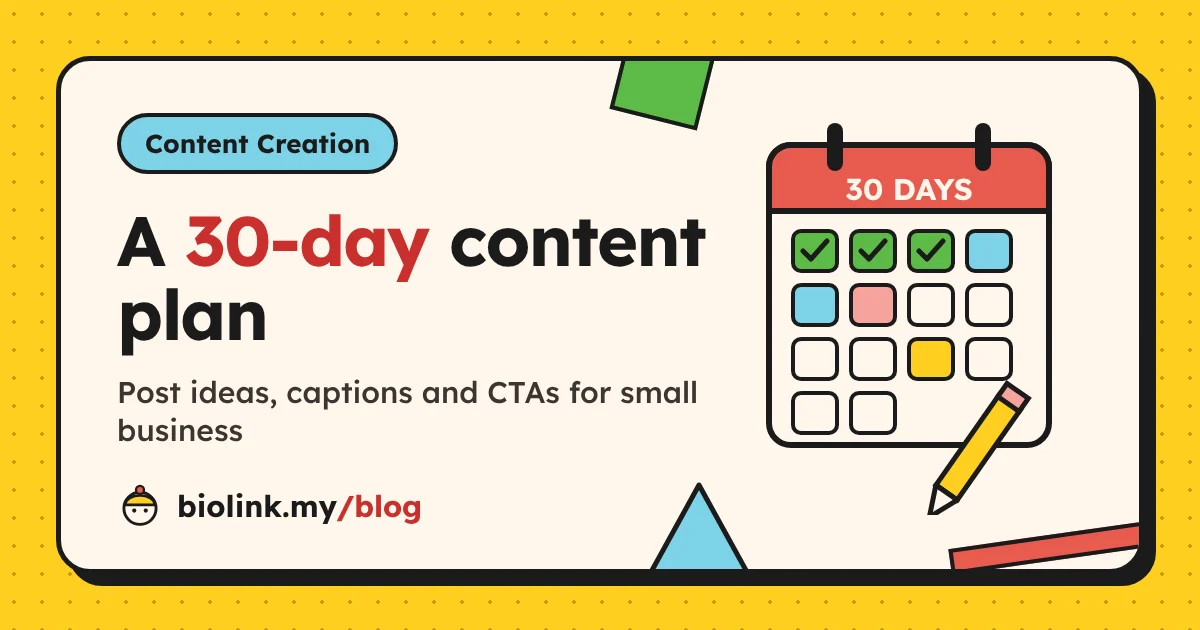
30-Day Content Plan for Small Business: Post Ideas, Captions and CTAs
Stop wondering what to post. This 30-day content plan gives a small business one idea a day, caption templates you can fill in, and a call to action that leads to your link in bio.

By Khairul Azahar Sharriffuddin · Published
Key takeaways
- A 30-day content plan works best with one goal, one destination (your link in bio) and four content pillars you rotate through.
- Plan the month in four weekly themes: introduce, show, prove, offer, so trust builds before you ask for the sale.
- Use caption templates with a hook, a short body and one clear call to action, and fill them in during a weekly batching session.
- Every call to action should say exactly what people will find when they tap your link in bio, and the page should match the post.
- Review views, clicks and sources at the end of the month, keep what worked and replace the rest.
In this guide
Most small businesses do not run out of products to sell. They run out of things to post. A 30-day content plan fixes that: you decide once what to post each day, write captions in batches and finish every post with the same clear call to action, so followers know where to go next.
This guide gives you a complete plan you can copy. It is built for small businesses that sell through Instagram, TikTok, Facebook and WhatsApp: home bakers, boutiques, cafés, coaches, makers and service providers. You will get a daily post idea for all 30 days, caption templates you can fill in, and calls to action that point to your link in bio.
If you do not have a link-in-bio page yet, read what a link in bio is and how to set one up first. The plan works much better when every post leads to one page.
Why a content plan beats posting when you remember
Posting "when there is time" usually means posting a lot in a good week and nothing for the next three. A plan helps in three ways:
- It removes the daily decision. You open the plan, see "Day 12: customer question", and start.
- It balances your content. Without a plan, many sellers post only "buy now" posts, which followers learn to scroll past.
- It ties every post to a goal. Each post ends with a call to action that sends people to the same place, so your effort adds up to visits and orders.
| Without a plan | With a 30-day plan | |
|---|---|---|
| Deciding what to post | Every day, often at the last minute | Once a month, in one sitting |
| Content mix | Mostly sales posts | Tips, products, behind the scenes and proof |
| Captions | Written in a rush | Written in batches from templates |
| Call to action | Missing or different every time | One clear destination: your link in bio |
| Measuring results | Likes only | Page views, clicks and orders compared month to month |
Before you start: goal, destination and pillars
Spend 30 minutes on these three decisions before you fill in a single day.
1. Pick one goal for the month
Choose the one result that matters most this month: more orders for a new product, more bookings, more sign-ups for a waiting list, or more pre-orders for a festive batch. One goal keeps your calls to action consistent.
2. Choose one destination
Every call to action should send people to the same place: your link-in-bio page. Put the thing that matches your goal at the top: the new product, the booking link or the pre-order form. On biolink.my you can mark a link as featured so it stands out, and add a countdown if the month ends with a deadline.
3. Set four content pillars
Pillars are the themes you rotate through, so your feed never becomes one long advert.
| Pillar | What it does | Examples |
|---|---|---|
| Teach | Gives value, earns saves and shares | Tips, how-tos, mistakes to avoid, myths |
| Show | Shows what you sell and how it works | Product close-ups, try-ons, demos, menus |
| Behind the scenes | Builds trust and personality | Making, packing, your workspace, your team |
| Proof | Removes doubt before buying | Customer photos and messages (with permission), before and after, FAQs |
Tip: Write down 10 questions customers have asked you in chat. Each one is a ready-made post for the Teach or Proof pillar.
How the 30-day plan is organised
The month has four weekly themes. Each week moves followers one step closer to buying, and the last days are for review.
- Week 1, introduce: who you are, what you sell and why it matters.
- Week 2, show: your products in use, with prices and details.
- Week 3, prove: customers, process and answers to doubts.
- Week 4, offer: a reason to act now, with a clear deadline.
- Days 29 and 30: wrap up, thank people and review the numbers.
Plan for one main post or video a day if you can keep it up, or pick four or five days a week and use Stories on the others. The calls to action below all point to your link in bio.
Week 1: Introduce your business (days 1 to 7)
| Day | Pillar | Post idea | Call to action |
|---|---|---|---|
| 1 | Behind the scenes | Who you are and why you started, in under a minute | "Everything we make is on the link in bio" |
| 2 | Show | Your best seller: close-up, price and who it is for | "See the price and order: link in bio" |
| 3 | Teach | One tip your customers will find useful | "Save this, and find more on the link in bio" |
| 4 | Show | Your full range in one carousel or video | "Full list with prices: link in bio" |
| 5 | Behind the scenes | A day in your business, fast-forwarded | "Order for next week: link in bio" |
| 6 | Proof | The question people ask most, answered | "More answers on our page: link in bio" |
| 7 | Show | How to order from you, step by step on screen | "Try it now: link in bio" |
Day 7 matters. A short video that walks through your page (tap the link, pick a product, send the order) removes the biggest barrier for new followers: not knowing what happens next. Pin it to your profile.
Week 2: Show your products (days 8 to 14)
| Day | Pillar | Post idea | Call to action |
|---|---|---|---|
| 8 | Show | Product spotlight with three details buyers care about | "Order this one: link in bio" |
| 9 | Teach | How to use, wear, store or serve your product | "Get yours: link in bio" |
| 10 | Show | Comparison: "Which one would you pick, A or B?" | "Vote in the comments, order both: link in bio" |
| 11 | Behind the scenes | Where your ingredients or materials come from | "See what is in stock: link in bio" |
| 12 | Proof | A customer question, answered on camera | "Ask yours on WhatsApp: link in bio" |
| 13 | Show | Gift idea or bundle for a specific person or occasion | "Gift sets are on the link in bio" |
| 14 | Teach | Three mistakes people make when buying this type of product | "Shop the right one: link in bio" |
Week 3: Prove it works (days 15 to 21)
| Day | Pillar | Post idea | Call to action |
|---|---|---|---|
| 15 | Proof | A real customer photo or message, shared with permission | "Join them: link in bio" |
| 16 | Behind the scenes | Packing an order from start to finish | "Yours could be next: link in bio" |
| 17 | Teach | A myth about your product or industry, busted | "Learn more and shop: link in bio" |
| 18 | Proof | Before and after, or the result of using your product or service | "Book or order: link in bio" |
| 19 | Behind the scenes | A mistake you made and what you changed | "See what we offer now: link in bio" |
| 20 | Proof | Your delivery, refund or booking policy, explained simply | "All the details are on the link in bio" |
| 21 | Show | Teaser for next week's offer or new product | "Get notified first: link in bio" |
Important: Only share customer photos, names and messages with their permission, and never invent reviews or results. Real proof, even a little, beats impressive claims nobody believes.
Week 4: Make the offer (days 22 to 30)
| Day | Pillar | Post idea | Call to action |
|---|---|---|---|
| 22 | Show | Launch the offer: what it is, the price and the deadline | "Order before {date}: link in bio" |
| 23 | Teach | Why this offer is useful right now (season, occasion, problem) | "Grab it: link in bio" |
| 24 | Proof | Customers who already ordered (with permission) | "Do not miss out: link in bio" |
| 25 | Behind the scenes | Preparing the batch or the slots | "Only a few left: link in bio" |
| 26 | Show | Answers to every question about the offer | "Order in one tap: link in bio" |
| 27 | Show | Last call: 48 hours to go | "Ends {day}: link in bio" |
| 28 | Show | Final day reminder in Stories and a short video | "Last chance: link in bio" |
| 29 | Behind the scenes | Thank you post with what happened this month | "Want the next batch? Join the list: link in bio" |
| 30 | Teach | Your most saved tip of the month, improved | "More on our page: link in bio" |
Only claim scarcity that is true. If you say "only 20 boxes", make 20 boxes. A countdown block on your page that ends at the same time as your posts keeps the deadline honest and visible.
Caption templates you can fill in
Every template has the same shape: a hook in the first line (the part people see before "more"), a short body, and one call to action. Replace the words in curly brackets.
Product spotlight
"{Product} is our most ordered item, and here is why. {Detail 1}. {Detail 2}. {Detail 3}. {Price}, ready in {time}. Tap the link in our bio to order in one tap."
Answer a question
"You asked: {question}? Short answer: {answer}. Here is the longer one: {two or three lines}. Got another question? WhatsApp us from the link in bio."
Behind the scenes
"This is what happens after you order {product}. {Step 1}, {step 2}, then {step 3}. It takes {time}, and we would not do it any other way. This week's menu is on the link in bio."
Teach a tip
"{Number} ways to {result} without {pain}. 1) {Tip}. 2) {Tip}. 3) {Tip}. Save this for later. Need {product} for it? Link in bio."
Offer with a deadline
"{Offer} until {date}. {Who it is for} and {why now}. {Quantity or slots}, then it is gone. Order through the link in our bio before {deadline}."
Customer proof
"{Customer first name} ordered {product} for {occasion}, and sent us this. (Shared with permission.) {One line about why it worked}. Want the same? Link in bio."
Tip: Keep the call to action in the last line and keep it short. If you also say it out loud in a video, use the same words, so people recognise it.
Calls to action that point to your link in bio
A call to action is only as good as the page behind it. Captions on Instagram and TikTok do not turn links into tappable links, which is why "link in bio" is the standard instruction. Instagram explains how to add a link to your profile; on Facebook you can put the link in the post itself.
| Goal | Call to action | What must be at the top of your page |
|---|---|---|
| Orders | "See prices and order in one tap: link in bio" | Your shop with a WhatsApp cart |
| Bookings | "Pick a slot: link in bio" | Your booking link, featured |
| Leads | "Get the free {guide/price list}: link in bio" | A lead form |
| Pre-orders | "Pre-order before {date}: link in bio" | A countdown and the pre-order products |
| Messages | "WhatsApp us from the link in bio" | A WhatsApp button or the action bar |
On biolink.my you can make the page match the plan without rebuilding it each week:
- Schedule blocks to appear and disappear on set dates, so the week-4 offer shows up on day 22 and disappears when it ends.
- Use the action bar, a small bar at the bottom of the screen with buttons like WhatsApp, Order, Call and Share, so the main action is always one tap away.
- Add a WhatsApp order block so customers send you a complete order with quantities and a total. Our guide to selling on WhatsApp from Instagram and TikTok covers this in detail.
- Pick a template that fits your brand from the template gallery.
Batch and schedule your content
Planning a month only helps if making the content is manageable. A simple weekly rhythm:
- Plan (30 minutes, once a month): copy the four weekly tables and adjust each idea to your products.
- Shoot (1 to 2 hours, once a week): film or photograph every post for the coming week in one session, using the same light and background.
- Write (1 hour, once a week): fill in the caption templates for the week.
- Schedule: use the scheduling tools in each app where available. TikTok describes its options on its schedule videos help page, and Instagram's creator site collects official tips on Reels, Stories and planning content.
- Reply daily (15 minutes): answer comments and messages. Content starts conversations; replies turn them into orders.
Tip: Repurpose every main video at least twice: as a Story, as a Reel or TikTok, and as a carousel or WhatsApp status. One idea can fill three days.
Measure what worked after 30 days
Likes are nice, but they do not pay the bills. At the end of the month, look at what happened on your link-in-bio page:
- Views: did more people visit your page in the weeks you posted more?
- Clicks and click-through rate: which links, products and buttons did visitors tap?
- Sources: which app sent the most visitors: Instagram, TikTok, Facebook or WhatsApp?
- Orders and leads: how many WhatsApp carts, messages or form sign-ups came in?
biolink.my shows views, clicks, click-through rate, traffic sources and countries in your dashboard, and you can export the numbers as a CSV file. Then make three decisions for next month: which pillar to post more of, which day or format to drop, and which product to feature at the top of your page. For more ways to grow traffic, read 15 online marketing tactics for sellers.
Content plan mistakes to avoid
- Selling in every post. Mix in tips, behind the scenes and proof, or followers tune out.
- A different call to action every time. Pick one destination and repeat it.
- A page that does not match the post. If the post is about the new cake, the new cake must be at the top of your page.
- Planning more than you can make. Five good posts a week beat seven rushed ones.
- Fake urgency or invented reviews. They damage trust quickly and can break platform rules.
- Never reviewing. Without a monthly review, you repeat what did not work.
Why biolink.my is free
biolink.my is free for every user, with no paid tiers and no fees on your sales. It is paid for by brand partners and sponsors through one small card labelled "Sponsored" at the bottom of public pages, never between your links or products. Analytics, scheduling, custom colours and the WhatsApp shop are all included.
Conclusion
A 30-day content plan for small business does not need to be complicated: one goal, one destination, four pillars and a weekly theme that moves followers from "who are you?" to "I'll order". Copy the daily ideas, fill in the caption templates, end every post with a call to action that points to your link in bio, and review the numbers when the month is over. Then plan the next 30 days with what you learned.
Frequently asked questions
How often should a small business post on social media?
Post as often as you can keep up with for a whole month without stopping. For many small businesses that is three to five feed posts or videos a week plus Stories on most days. Consistency over several weeks matters more than a burst of daily posts followed by silence.
What should I post if I have nothing to say?
Rotate through four pillars: helpful tips, your products, behind the scenes and proof from customers. Answer a question a customer asked this week, show how a product is made or packed, or share a customer photo with their permission. The plan in this guide gives you an idea for every day.
What is a good call to action for a link in bio?
A good call to action names the action and the reward: "See this week's menu and order in one tap: link in bio" works better than "check my bio". Make sure the first thing people see on your page matches the post they came from.
Should I use the same content on Instagram, TikTok and Facebook?
You can reuse the same idea and often the same video, but adjust the caption, the first seconds and the call to action to each app. Captions on Instagram and TikTok do not make links clickable, so point to the link in your profile, while a Facebook post can include the link itself.
How do I know if my content plan is working?
Look past likes. Check how many people visited your link-in-bio page, which links and products they clicked, and which app they came from. On biolink.my the dashboard shows views, clicks, click-through rate, traffic sources and countries, so you can compare one month with the next.
Can I schedule posts in advance?
Yes, most major apps offer some form of scheduling. TikTok explains its options on its schedule videos help page. Scheduling is easiest when you batch the month's captions in advance with a plan like this one.