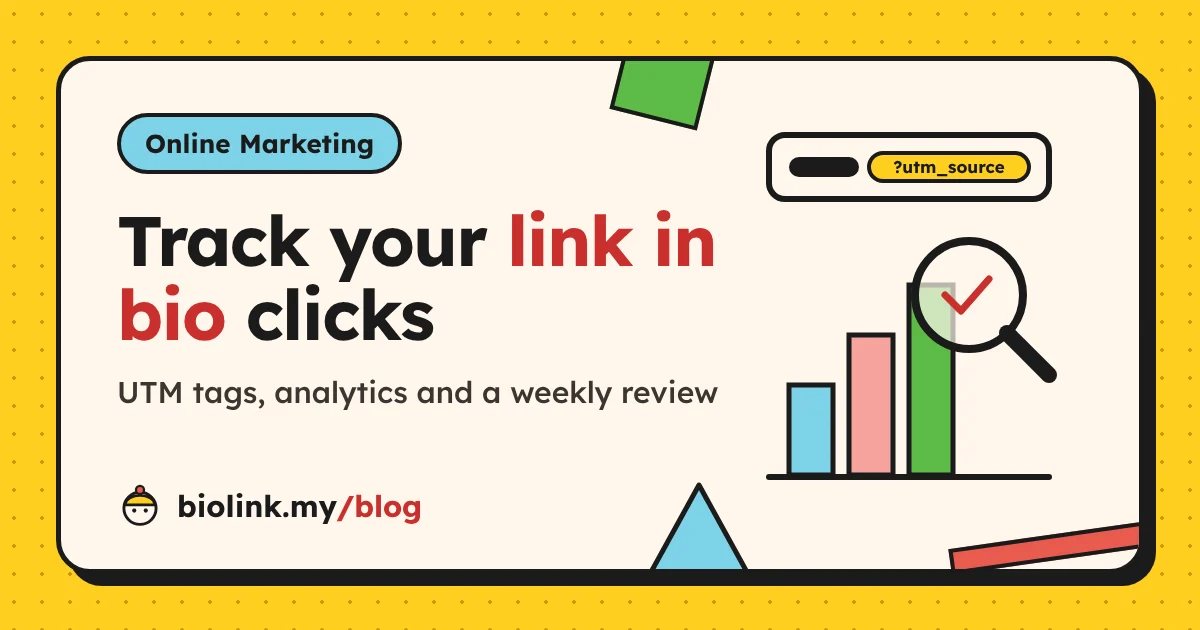
How to Track Link in Bio Clicks: UTM Parameters and Analytics Explained
Stop guessing which app sends your customers. Tag your links with UTM parameters, read your link-in-bio analytics properly and run a 20-minute weekly review.

By Khairul Azahar Sharriffuddin · Published
Key takeaways
- To track link in bio clicks properly you need two layers: tags on the links that bring people to your page, and tags on the links that send them from your page to your own website.
- Always use utm_source, utm_medium and utm_campaign, written the same way every time, in lowercase.
- In biolink.my, adding
?utm_source=instagram(or tiktok, whatsapp, facebook) to your page link makes the visit count under that source even when the app sends no referrer. - Read click rate and clicks by block before raw views: they tell you whether your page works, not just whether people arrived.
- A short weekly review with one change at a time beats a big monthly report you never act on.
In this guide
You post every day, reply to every comment and keep your link in bio up to date. But when someone asks which platform actually brings you customers, the honest answer is often "I think it's TikTok?". This guide shows you how to track link in bio clicks properly, so you can answer that question with numbers instead of guesses.
You will learn how UTM parameters work, get a ready-made builder table for Instagram, TikTok, WhatsApp and Facebook, see how to read views, clicks, click rate, sources, countries and devices in biolink.my, and finish with a weekly review routine that takes about 20 minutes.
If you want ideas for bringing more people to your page in the first place, read our 15 online marketing tactics for sellers. This post is about the other half: measuring what those tactics do.
Why tracking your link in bio matters
Social apps give you one link, so every bit of traffic squeezes through the same door. That makes your link-in-bio page the best place to measure, but only if you can tell the visitors apart. Without tracking, a busy week looks the same whether it came from a viral TikTok, a WhatsApp broadcast or a Facebook group post.
Tracking helps you to:
- Spend your time where it works. If WhatsApp Status sends more buyers than Instagram Reels, you know where to post first.
- Fix the page, not just the posts. Lots of views with few clicks means visitors arrive but do not find what they came for.
- Prove a campaign worked. A festive promo, a collaboration or a printed QR code can each get its own tag.
- Stop arguing with your gut. Numbers settle the "I think" conversations.
The two layers of link-in-bio tracking
Most guides talk about UTM tags as if there were only one link. With a link-in-bio page there are two, and they answer different questions.
| Layer | Which link you tag | Question it answers | Where you read it |
|---|---|---|---|
| 1. Traffic to your page | The link to your biolink.my page that you paste in bios, posts, Stories and chats | Which app or post sent this visitor? | biolink.my Analytics: traffic sources |
| 2. Traffic from your page | Links on your page that go to your own website or online store | Which visits to my website came from my link in bio? | Your website analytics, such as Google Analytics |
You may only need layer 1. If all your sales happen on WhatsApp, your biolink.my analytics already tell the full story. Layer 2 matters once you also run a website with its own analytics.
UTM parameters in plain English
UTM parameters are tags you add to the end of a URL after a question mark. They do not change the page; they just tell analytics tools where the visit came from. Google's help centre lists them in its guide to collecting campaign data with custom URLs:
- utm_source: who sent the visit, such as
instagram,tiktokorwhatsapp - utm_medium: the type of channel, such as
social,emailorqr - utm_campaign: the promotion, such as
raya_saleornew_menu - utm_content: which version or placement, such as
story_stickerorbio - utm_term: mainly for paid search keywords; you can usually skip it
Google recommends always using source, medium and campaign together. A tagged link is your normal address followed by the tags, with a question mark before the first tag and an ampersand before each of the others:
biolink.my/@kedaikuih?utm_source=instagram&utm_medium=social&utm_campaign=raya_sale
Joined together without spaces, that is one link you can paste anywhere.
Important: Tag values are case sensitive in many tools. Instagram and instagram can show up as two different rows, so write every value in lowercase and use underscores instead of spaces.
Choosing your medium
Google Analytics sorts visits into channels using these tags. At the time of writing, its default channel group treats a medium of social (or social-media, sm and a few similar values) as Organic Social. Pick one value, such as social, for all your unpaid social posts and stick to it. Use something else, like paid_social, only for ads.
UTM builder table for Instagram, TikTok, WhatsApp and Facebook
Copy these patterns and replace raya_sale with your own campaign name. Each row is the end of the link you paste after biolink.my/@yourname.
| Where you share it | utm_source | utm_medium | utm_campaign | utm_content |
|---|---|---|---|---|
| Instagram bio | social | always_on | bio | |
| Instagram Story link sticker | social | raya_sale | story_sticker | |
| Instagram Reel caption or comment | social | raya_sale | reel | |
| TikTok bio | tiktok | social | always_on | bio |
| TikTok video comment or reply | tiktok | social | raya_sale | video_reply |
| WhatsApp Status | social | raya_sale | status | |
| WhatsApp broadcast or group message | social | raya_sale | broadcast | |
| WhatsApp Business profile | social | always_on | profile | |
| Facebook Page post | social | raya_sale | page_post | |
| Facebook group post | social | raya_sale | group | |
| Printed QR code on packaging | qr | offline | always_on | packaging |
Put the pieces together in the order source, medium, campaign, content. For example, a WhatsApp Status for the Raya sale is your page address followed by ?utm_source=whatsapp, &utm_medium=social, &utm_campaign=raya_sale and &utm_content=status, all on one line.
You can build links by hand or use Google's free Campaign URL Builder, which fills in the question mark and ampersands for you.
Tip: Keep a simple sheet with one row per tagged link: date, where you used it, and the full URL. Next month, you will not remember whether you wrote ig_story or instagram_story.
How biolink.my reads your tags
When a visitor opens your page, biolink.my looks at utm_source first and, if it is missing, at the address the browser says they came from. It then files the visit under a fixed list of sources: Instagram, TikTok, Facebook, YouTube, WhatsApp, X, Threads, Telegram, LinkedIn, Google, Search, Direct and Other.
A few practical details:
- Use the full platform name, such as
instagram,tiktok,facebookorwhatsapp. The short formsig,fb,waandttalso work. - A value that starts with a platform name counts as that platform, so
instagram_storystill shows as Instagram. - Anything else, such as
qrornewsletter, is grouped under Other. That is fine; it simply means "not one of the big apps". - biolink.my only needs
utm_source. The other tags are ignored by biolink.my analytics, but they do no harm.
Tags matter most for apps and chats that open links without saying where the visitor came from. Those visits would otherwise land in Direct, which tells you nothing.
Should you tag the link in your bio itself?
You can, and it works. A tagged link is longer, though, so check how it looks on your profile after saving. If it looks messy, keep the bio link clean and use tags where the address is hidden behind a button or sticker: Story link stickers, WhatsApp messages, Facebook posts and comments.
Layer 2: tag the links on your page that go to your website
biolink.my opens the links on your page without passing the referring address to the next site, which protects your visitors' privacy. The side effect is that your own website analytics may count those visits as Direct.
The fix is to tag the URLs you add to link blocks:
utm_source=biolinkutm_medium=socialutm_campaign= the promotion, such asraya_saleutm_content= which button, such astop_linkormenu_button
For example, a "Shop the Raya collection" button would point to your shop page followed by ?utm_source=biolink, &utm_medium=social, &utm_campaign=raya_sale and &utm_content=top_link. In Google Analytics, these visits then appear under the source "biolink" in your traffic acquisition reports, which Google describes in its guide to campaigns and traffic sources.
Only tag links to your own sites. Tags on a link to someone else's site, such as a marketplace or a music platform, end up in their analytics, not yours.
Reading your biolink.my analytics
Open Analytics in your dashboard and choose 7 days or 30 days. Stats are cookieless, update every hour and do not count your own visits while you are signed in. Known bots and link-preview fetchers, such as the robot that builds a preview card when you paste your link into a chat, are not counted either.
| Metric | What it measures | What to ask yourself |
|---|---|---|
| Views | How many times your page was opened | Is my posting bringing people to the page? |
| Unique visitors | Different visitors, counted per day without cookies | Are these new people or the same few coming back? |
| Clicks | Taps on links inside your blocks | Do visitors take any action at all? |
| Click rate | Clicks divided by views | Does my page make the next step obvious? |
| Best day | The day with the most views | What did I post the day before? |
| Clicks by block | Clicks per block, with each block's clicks as a share of views | Which links earn their place, and which can go? |
| Traffic sources | Share of views from each app or Direct | Where should I post first? |
| Countries | Share of views by visitor country | Are my visitors where I can deliver? |
| Devices | Share of views on mobile, tablet or desktop | Does my page need to be perfect on phones? (Usually yes.) |
Views, clicks and click rate
Views tell you whether your content brings people to the page. Click rate tells you whether the page itself works. If views go up but click rate goes down, the new visitors are less interested, or your top link no longer matches what your posts promise.
Clicks by block
This table is the most useful one for improving your page. A block near the top with a low share of clicks is taking space from something better. The Editor shows the same number on each block's row (clicks over 30 days), so you can act on it while editing. The quick-action bar at the bottom of the screen is not counted here.
Sources, countries and devices
Each list shows the top entries as a share of views. Sources show whether your tags are working: if WhatsApp suddenly appears after you started tagging Status links, that traffic was hiding in Direct before. Countries help you check that visitors are in places you serve, and "Unknown" simply means the location could not be determined.
Good to know: Days in biolink.my analytics follow UTC. In Malaysia, a new day in your stats starts at 8 am local time, so a late-night spike may appear on the following day.
Exporting your data as CSV
Two download buttons give you your raw numbers:
- CSV at the top of the Analytics page: one row per day for up to the last 90 days, with date, views, unique visitors, clicks and click rate
- CSV next to Clicks by block: each block's id, type, title and clicks for the selected period
Open the files in Google Sheets or Excel to build your own charts, compare months or share results with a partner. Because the export covers up to 90 days, download it once a month if you want a longer history.
A 20-minute weekly link-in-bio review
Pick the same day each week, for example Monday morning, and follow these steps.
| Step | Time | Where | What to do |
|---|---|---|---|
| 1. Check the trend | 3 min | Overview | Compare views and clicks for the last 7 days with the week before |
| 2. Check click rate | 2 min | Analytics, 7 days | Note the click rate in your sheet next to last week's |
| 3. Find the winners | 5 min | Clicks by block | Move the most-clicked block up; hide or rewrite one that gets almost nothing |
| 4. Check sources | 3 min | Traffic sources | Note which app grew or shrank; plan next week's posts around the best one |
| 5. Check leads and carts | 3 min | Leads | Count form sign-ups and WhatsApp carts; follow up on any you missed |
| 6. Make one change | 4 min | Editor or Appearance | Change one thing only and write it down with the date |
The last step is the one that makes the routine work. If you change your bio, your button colour and your top link in the same week, you will not know which one helped. Our guide on what a link in bio is has more ideas for what to test on the page itself.
Common tracking mistakes to avoid
- Inconsistent names.
Instagram,IGandinstasplit one source into several rows in many tools. Pick one spelling and keep it. - Tagging links to other people's sites. Your tags only help on pages whose analytics you can read.
- Spaces and odd characters. Use lowercase letters, numbers and underscores only.
- Judging after one day. Social traffic is spiky. Compare full weeks.
- Changing many things at once. You lose the ability to tell what worked.
- Forgetting offline links. Printed QR codes and business cards deserve their own source too.
- Ignoring Direct. A large Direct share is a sign that some of the links you share are untagged.
Conclusion
Tracking your link in bio is not complicated. Tag the links you share with utm_source, utm_medium and utm_campaign, tag the links on your page that lead to your own website, and spend 20 minutes a week reading views, click rate, clicks by block and sources. Then make one change and see what happens. Over a few months, that habit tells you more about your audience than any amount of guessing.
When you are ready to set up a page worth measuring, browse the free templates or go back to the biolink.my homepage.
Frequently asked questions
What are UTM parameters?
UTM parameters are short tags added to the end of a URL, such as utm_source=instagram, utm_medium=social and utm_campaign=raya_sale, joined with ? and &. Analytics tools read them to tell you where a visit came from. Google documents them in its guide to URL builders and campaign data.
Do UTM parameters affect SEO or break my link?
No. The page loads exactly the same with or without the tags; they only add information for analytics. Keep them off links you want people to copy and share widely, because the tags travel with the link.
Which UTM parameters does biolink.my read?
biolink.my reads utm_source on links to your page and groups it into a source such as Instagram, TikTok, WhatsApp or Facebook. Other tags like utm_medium and utm_campaign do no harm, and your own website analytics can use them.
Why do many of my visits show as Direct?
A visit counts as Direct when the browser does not say where the visitor came from, for example when someone types your address, taps a link in some chat apps, or opens it from a saved note. Adding utm_source to the links you share moves those visits to the right source.
What is a good click rate for a link-in-bio page?
There is no universal number, because it depends on your audience and offer. Compare your page with itself: track your click rate every week and aim to raise it by improving your first link, your button labels and your bio.
Are my own visits counted in my analytics?
No. When you are signed in, your visits to your own page are not counted, and neither are known bots and link-preview fetchers. Stats are cookieless and update every hour.
How far back can I export my data?
The daily CSV export on the Analytics page covers up to the last 90 days. Download it regularly if you want to keep a longer history in your own spreadsheet.